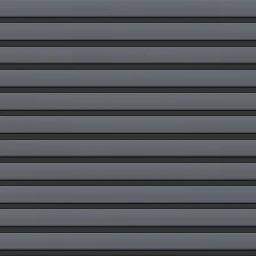
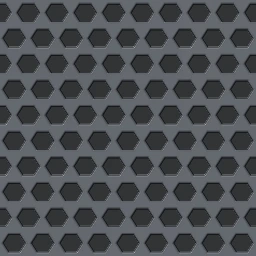
PBR-Kanäle
Nutze Base Color, Normal, Roughness, Height und Ambient Occlusion für hard-surface panels, greebles, vents und sci-fi hull details.
Panel-Muster
Blechpanel mit regelmäßigem Raster runder gestanzter Löcher.
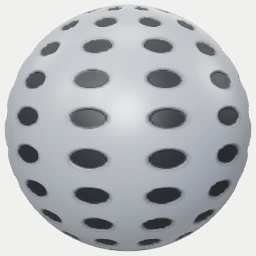
Maps: Base Color · Normal · Height · Roughness · AO
Formate: PNG 1024x1024 · Raw ZIP · Unreal ORM ZIP · Unity Mask ZIP · MaterialX · glTF — bis 4096x4096 in Studio
Das ZIP enthält alle Raw-PBR-Maps in 1024x1024. Unreal- und Unity-ZIPs ergänzen gepackte Engine-Masken; für höhere Auflösung oder eigene Parameter Studio öffnen.
Nutze Base Color, Normal, Roughness, Height und Ambient Occlusion für hard-surface panels, greebles, vents und sci-fi hull details.
Ein Tile als Panelmodul oder hull plate behandeln; UVs so einstellen, dass vents, rivets, grooves und greeble density zur Asset-Skala passen.
Maps als raw PBR inputs in Blender, Unreal, Unity oder WebGL nutzen. Metallic response in der Engine hinzufügen, wenn das Panel metallisch wirken soll.
Der Export ist ein surface texture set, keine kitbash geometry; bolts, vents, bevels und panel seams bleiben Shader- oder Mesh-Entscheidungen.
Öffne dieses Material über die Texturseite im passenden Online-Texturgenerator.
Passe Skalierung, Farben, Struktur und Oberflächenabnutzung an, bis das Material zu deiner Szene passt.
Setze einen neuen Seed, um unbegrenzt nahtlose Varianten derselben Textur zu erzeugen.
Exportiere Grundfarbe, Normalen, Rauheit, Höhe und Umgebungsverdeckung als PNG, ZIP, MaterialX oder glTF.
Ja. Jede Textur wird im Browser erzeugt und kann kostenlos für kommerzielle und private Projekte exportiert werden.
Ja. Die prozeduralen Muster kacheln nahtlos und wiederholen sich auf großen Flächen ohne sichtbare Nähte.
Du kannst Grundfarbe, Normalen, Rauheit, Höhe und Umgebungsverdeckung für die Engine deiner Wahl exportieren.