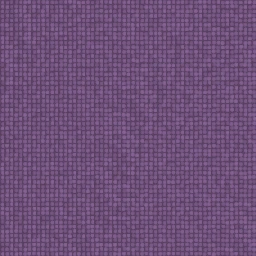
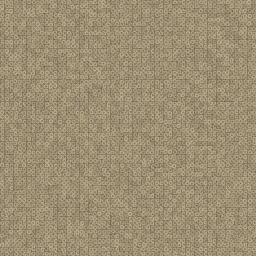
PBR-каналы
Используйте Base Color, Normal, Roughness, Height и Ambient Occlusion для тканевых поверхностей; ткань является диэлектриком, поэтому Metalness не нужен.
Fabric pattern
Cut-pile wool runner with bold yarn-dyed stripes running along its length.
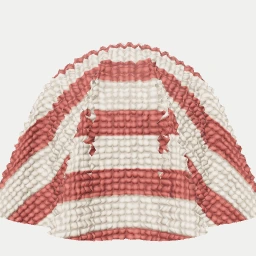
Карты: Base Color · Normal · Height · Roughness · AO
Форматы: PNG 1024x1024 · Raw ZIP · Unreal ORM ZIP · Unity Mask ZIP · MaterialX · glTF — до 4096x4096 в Studio
ZIP содержит исходные PBR-карты 1024x1024. Unreal и Unity ZIP добавляют упакованные маски движков; для большего разрешения или своих параметров откройте Studio.
Используйте Base Color, Normal, Roughness, Height и Ambient Occlusion для тканевых поверхностей; ткань является диэлектриком, поэтому Metalness не нужен.
Начните с tile примерно 1 m x 1 m для обивки, штор или ковров; для close-up тканого материала уменьшайте UV scale.
В Blender и WebGL подключайте raw maps напрямую. В Unreal или Unity импортируйте normal как normal data, а roughness/AO как linear maps.
Экспорт - это tileable fabric material, а не cloth simulation или garment geometry; складки, толщина, ворс и швы задаются в сцене.
Откройте этот материал в подходящем онлайн-генераторе со страницы текстуры.
Подберите масштаб, цвета, структуру и износ поверхности, чтобы материал подошел к сцене.
Задайте новый seed, чтобы получать неограниченные бесшовные варианты той же текстуры.
Экспортируйте карты базового цвета, нормалей, шероховатости, высоты и окклюзии окружения в PNG, ZIP, MaterialX или glTF.
Да. Каждая текстура генерируется в браузере и бесплатно экспортируется для коммерческих и личных проектов.
Да. Процедурные паттерны бесшовно тайлятся и повторяются на больших поверхностях без заметных швов.
Вы можете экспортировать карты базового цвета, нормалей, шероховатости, высоты и окклюзии окружения для выбранного движка.